
Buy it once.
Use forever.
Restaurant management software for Windows. Take orders, print GST bills and KOTs, and connect phones and tablets for waiters and the kitchen. No yearly fee, and it works offline. Orders, GST bills and KOTs for your restaurant, on a Windows PC. No yearly fee. Works offline.
Most restaurant software is rented. Resto is yours.
Most restaurant software charges you every year, and stops working when you stop paying. Pay for Resto once and it is yours. Bug fixes and improvements are free.
-
₹0
after you buy
No yearly fee and no AMC, as long as you don't add an extra like Resto Pro.
-
₹0
for updates
Stable updates, bug fixes and improvements are free.
-
0%
commission on your orders
Including orders from your table QR menu.
Start with one computer. Add the phones and tablets you already have.
Resto runs on your counter PC. Waiters take orders on a phone or tablet, the kitchen sees them on a phone or tablet, and customers can see their order status. All connected, all working offline.
-
Counter PC
Bills, KOTs, reports. Resto lives here.
-
Waiter phone or tablet
Take the order at the table. It reaches the counter and kitchen at once.
-
Kitchen phone or tablet
What to cook next, with notes. Made for a phone or tablet. No prices on it.
-
TV screen
Customers can see their order status, and when it is ready.




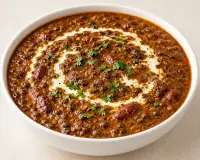


Simple screens. Nothing you’ll never use.
Set up in minutes
Upload a photo of your paper menu. AI adds it to Resto, with dish photos.
- Common dishes are suggested as you type
- Categories, discounts and sold-out in one screen
- No extra charge for the AI
Take orders fast
Dish photos, veg marks, quick codes and custom items. Add more to a running table any time.
- Dine-in tables and parcel orders
- Type a quick code like 112 and the dish is added
- Each new round prints its own KOT
Works offline
Resto works offline, even with all your phones, tablets and the TV connected.
- Billing, KOTs and the kitchen keep working
- Your data stays on your computer
- Internet only for backups, WhatsApp bills and Resto Pro
Resto Staff app for waiter and kitchen
One app for waiters and the kitchen: take orders, or see what to cook.
- Free with Resto
- Connects with one scan
- iPhones and iPads join in the browser, no app needed
Each staff member, their own PIN
Owner, cashier, waiter and kitchen each sign in with their own PIN and see only their own screens.




- Add as many waiters and cashiers as you need
- Cashiers can’t see your sales or undo a paid bill
- The audit log shows who did what
Know your numbers
Sales by day, week, month and year, top dishes, payment split, and a GST report for your CA.
- Export to Excel or PDF
- Customers and dues (udhaar) in one place
- Updates live during service
Expenses and profit
Note what you spend in seconds and see your profit for the day, week or month.
- Resto remembers what you buy and its last price
- Keep track of what you owe each supplier
- Export expenses to Excel or PDF for your CA
Kitchen app and order-status TV
The kitchen ticks dishes off on a phone or tablet. A TV shows customers their order status.
- No prices in the kitchen view
- Notes like “less spicy” sit beside the dish
- Kitchen uses a phone or tablet; the TV can be any smart TV
GST bills, UPI QR, WhatsApp
Correct CGST and SGST, a UPI QR with the exact amount on the bill, and bills sent on WhatsApp.
- Tax invoice, or Bill of Supply for the composition scheme
- Business bills with the buyer’s GSTIN
- Your logo, FSSAI number and any language on the bill
Discounts your way
Give discounts on a dish, a category or the whole bill. You decide which staff can give them.
- Set a limit, like 10% at most
- Only staff you allow can give a discount
- Every discount is in the audit log
Works with your printer
Use the printer you already have. Resto makes the bill fit your paper by itself.
- Small receipt printers or A4
- Auto-cut and cash drawer
- Your logo on every bill
Backup and a new PC
Back up to your own Google Drive. If the PC dies, get your data back on a new one.
- Orders, menu, photos and settings come back
- Your licence moves to the new PC when you sign in
- Backups go to your Drive, not to our servers
Make it yours
Bill design, logo, GST, printers, staff, alerts and more. Change any of it yourself in Settings.
- Pick a bill style and add your logo
- Change prices and dishes any time
- No need to call anyone for a change
Every rupee has a name.
Everyone gets their own PIN. Every bill, discount and cancellation shows who did it, when, and on which device.
- Cancelling needs a written reason, kept on the bill forever.
- Discounts only up to the limit you set, person by person.
- A paid bill can’t be quietly reopened by the cashier.
- Cash-up for any person, any time: cash, UPI, card and dues.
Resto Pro · Optional yearly add-on
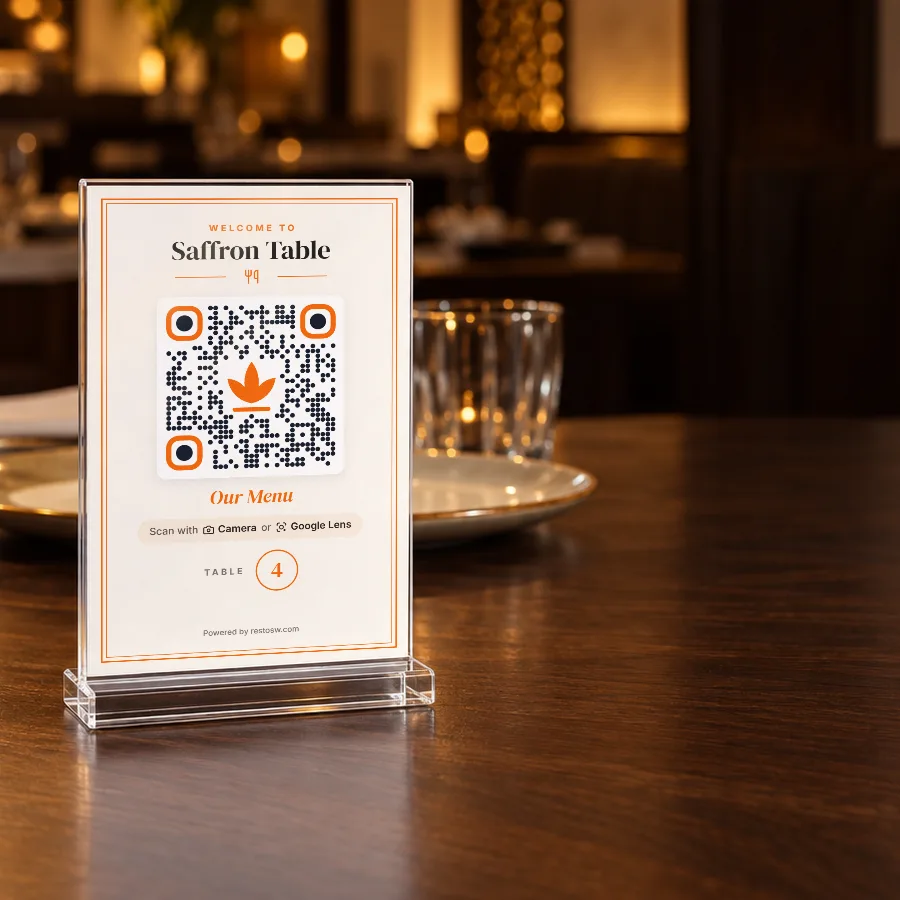
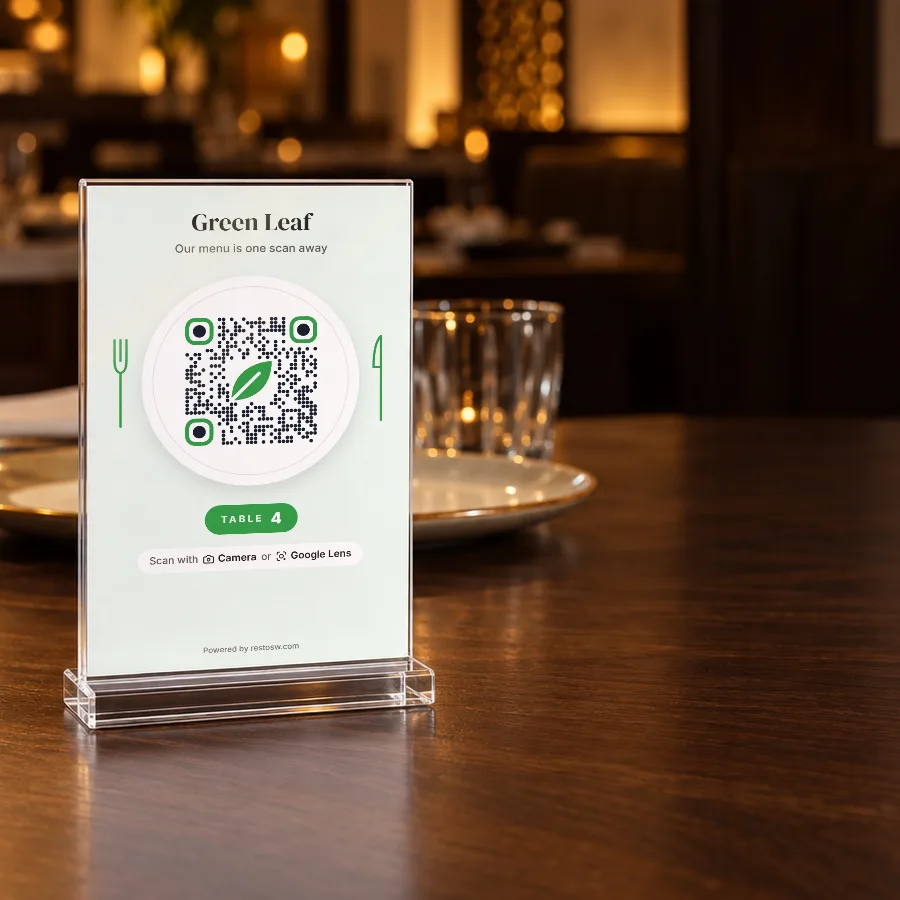
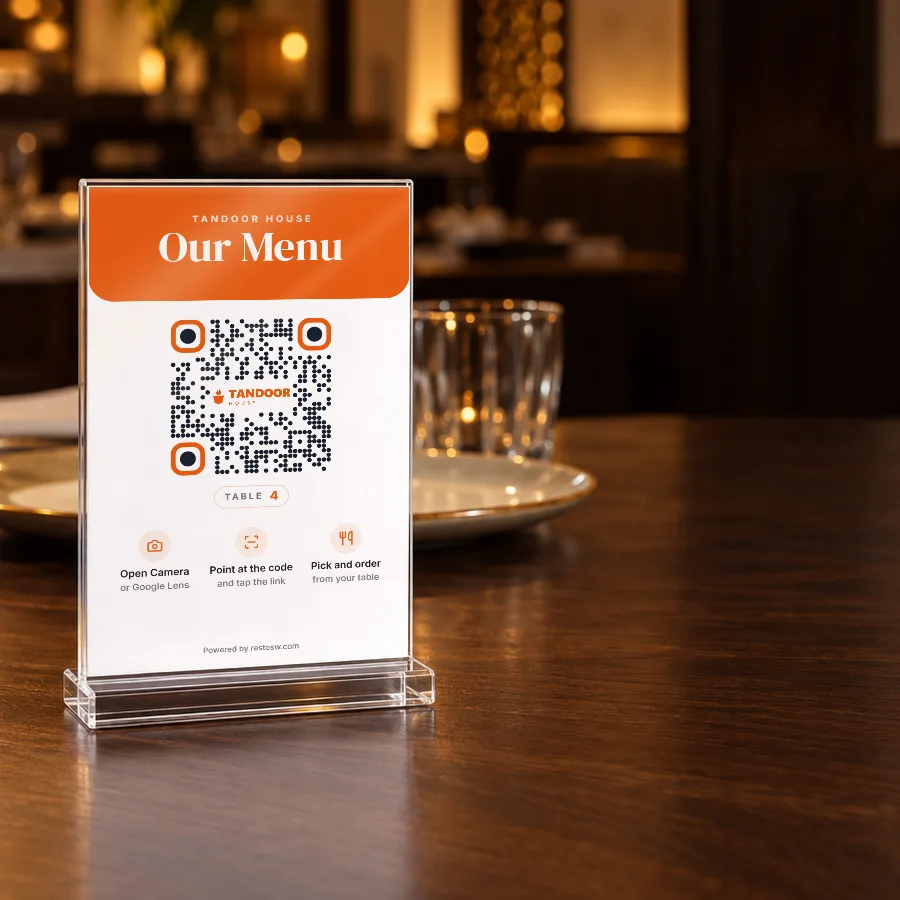
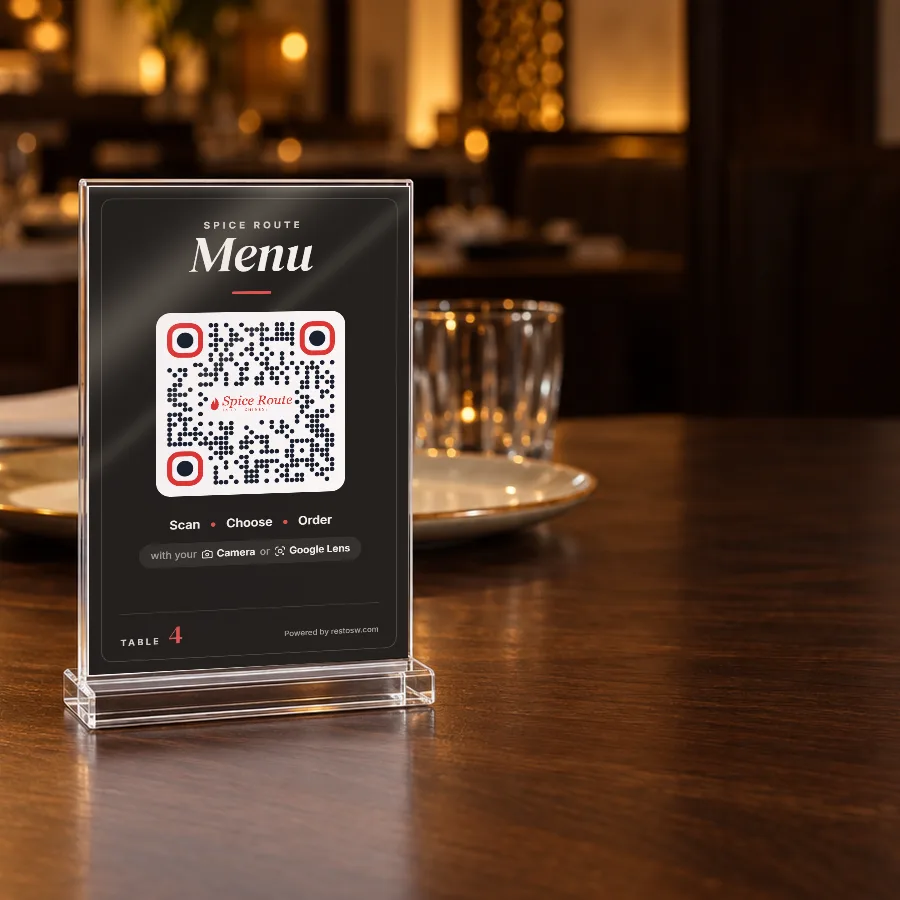
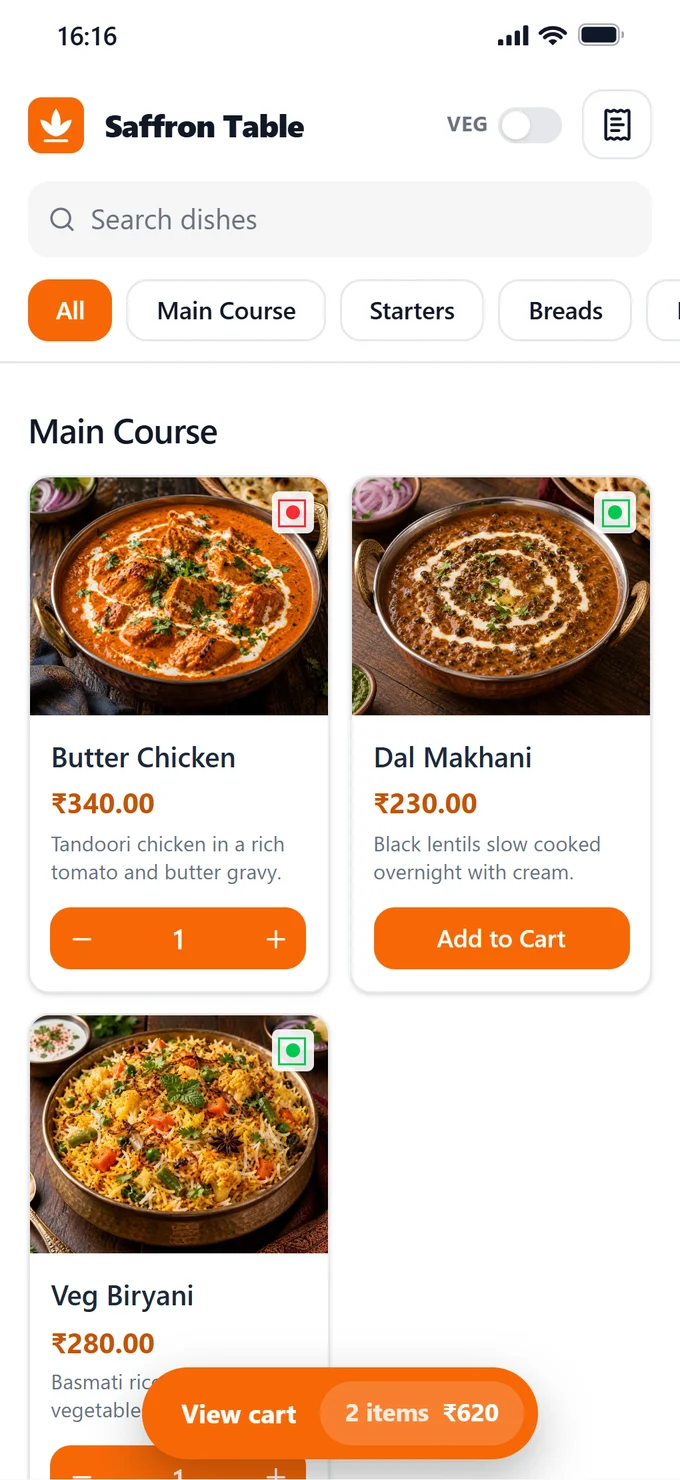
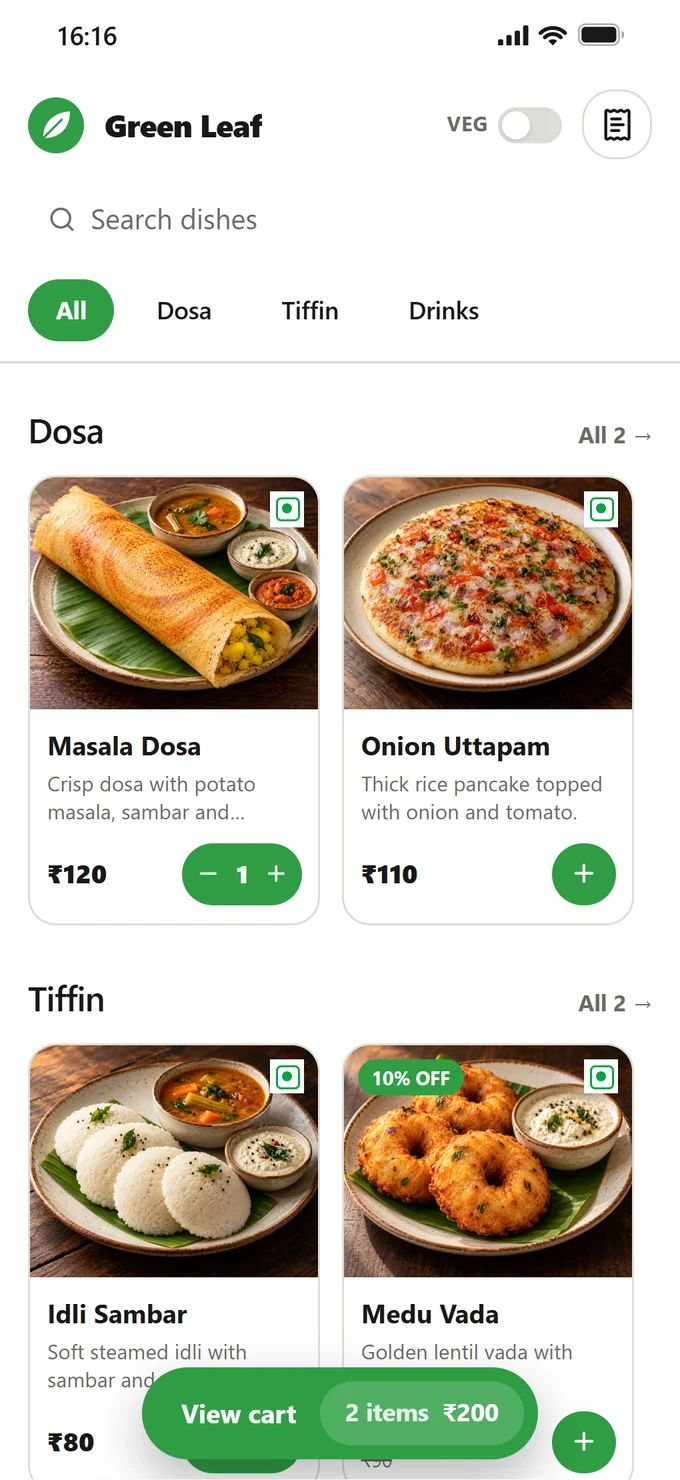
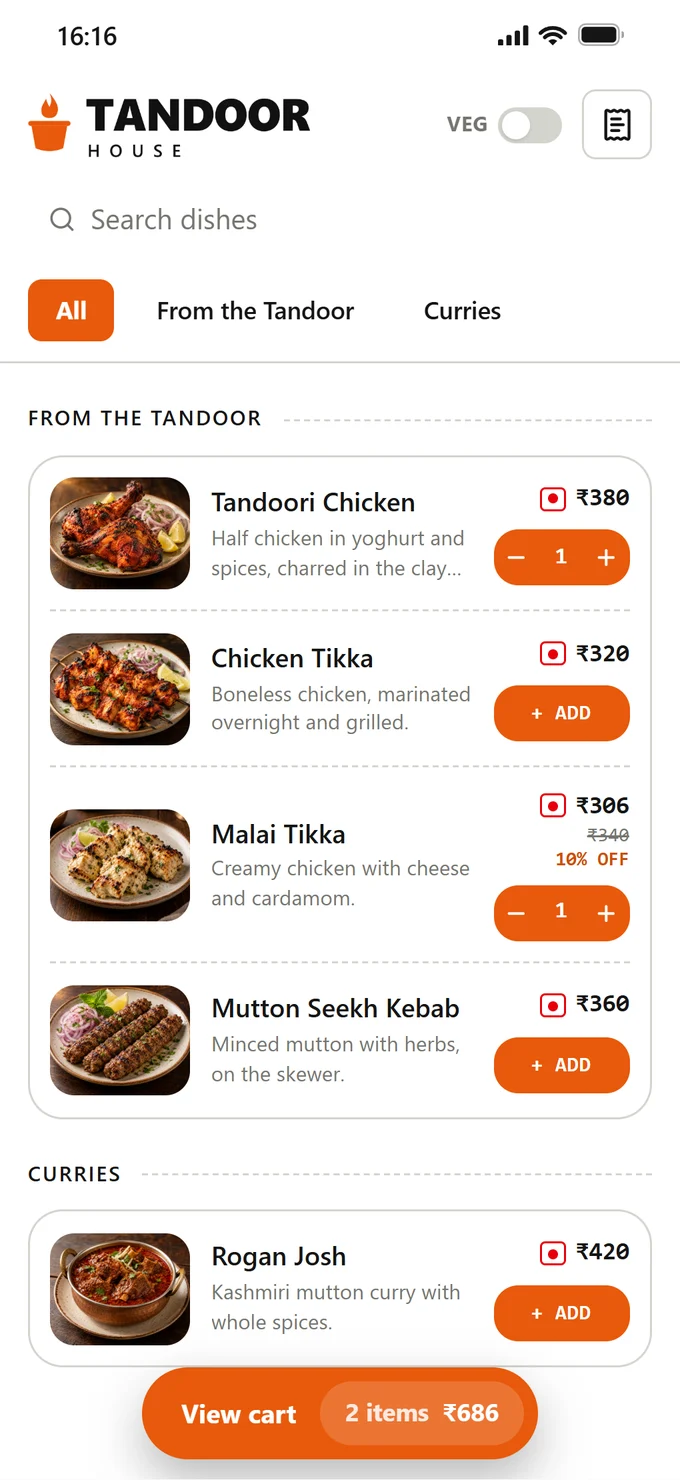
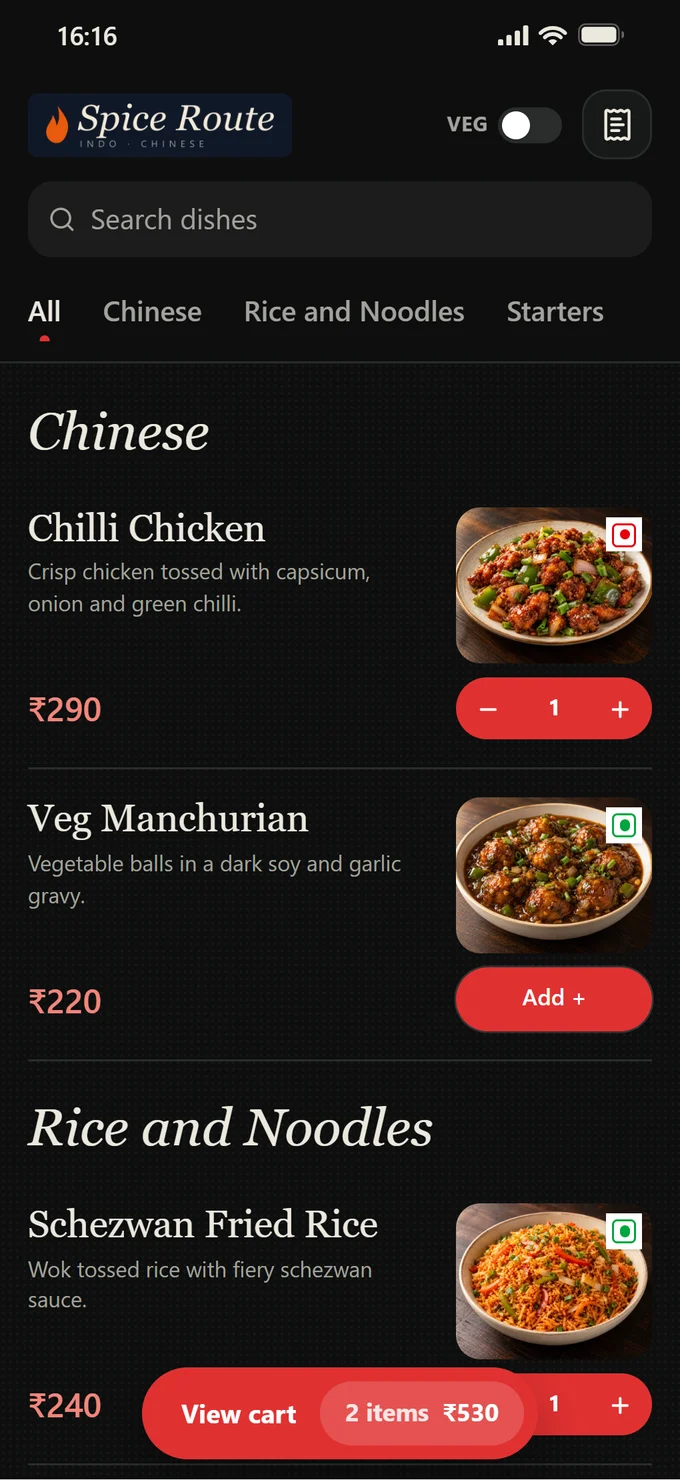
A QR menu on every table. Orders straight to your counter.
Guests scan, see your menu and order from their own phone. You accept with one tap, the kitchen gets the KOT, and the guest watches the order and the bill live. Made to match your restaurant's brand.
- No app, no login for guests
- Your brand, fully customisable: logo, colours, design and web address
- A QR card for every table, ready to print
- 0% commission: your orders, your guests
Questions owners ask
How much does Resto cost?
Resto Core costs ₹9,999 once. There is no yearly fee, no AMC and no charge for updates and bug fixes. Resto Pro, the optional QR menu, is ₹999 a year.
Is it really a one-time payment, with no yearly fee?
Yes. Resto Core is paid once (or by monthly EMI, paid to us directly) and is yours to keep. Updates and bug fixes are free. Only Resto Pro, the optional QR menu, is a yearly fee.
Can I get my money back if Resto isn’t right for me?
Yes. Within 7 days of any payment, ask on WhatsApp or email and we refund it in full to the way you paid, usually within 5–7 working days.
Does Resto work without internet?
Yes. Resto works offline, with all your phones, tablets and the TV connected. You need the internet only to sign in the first time, for a quick licence check every couple of months, and for WhatsApp bills, Google Drive backup and Resto Pro.
What if my computer breaks?
Resto backs up to your own Google Drive. Install Resto on the new computer, sign in with the same Google account, move your licence there and restore. Your menu, orders, staff and settings come back.
Which printers work with Resto?
The printer you already have will most likely work: 58 mm or 80 mm receipt printers, dot-matrix or A4, by cable, network or Bluetooth.
How many phones and screens can I connect?
As many as you need. Waiter and kitchen phones or tablets, and TVs need no extra licence.
Is it ready for GST?
Yes: tax invoices with CGST and SGST, prices with or without GST, Bill of Supply for the composition scheme, business bills with the buyer’s GSTIN, and a monthly GST report for your CA.
Can Resto show my profit?
Yes. Note what you spend, like vegetables, gas, rent and salaries, and Resto shows your profit for the day, week or month. It also keeps track of what you owe each supplier.
What if I pay by EMI and miss a month?
Resto pauses a few days after the payment was due and starts again the moment you pay. Nothing is lost. After the last EMI, it is yours for life.
Does it run on Mac, Android or iPad?
The main Resto app runs only on a Windows computer (Windows 10 or 11, 64-bit), not on a Mac. The devices you connect to it can be anything: waiters and the kitchen can use Android phones and tablets, iPhones and iPads.
More answers in the Help centre.
Buy it once. Use forever.
Free updates and bug fixes. 7-day money-back if it isn’t right for you.